If you need help designing or creating a journal, discussion or assignment and don’t know where to start, the AI Design Assistant can guide you through the creation process. The AI Design Assistant draws insights from your course’s title and description, as well as your desired cognitive level (which is aligned with Bloom’s Taxonomy) to generate journals, discussions or assignments.
Journals can support metacognition after a learning activity or help students with reflection. Learn more about AI Generated Journals on Blackboard’s website.
Discussions are beneficial for fostering community in your classroom, improving critical thinking and communication skills, and increasing student engagement. Learn more about AI Generated Discussions on Blackboard’s website.
Assignment prompts can encourage students to engage in higher-order thinking, apply knowledge gained from your class, produce submissions that are gradable within Blackboard, or to emulate real-world situations. Learn more about AI Generated Assignments on Blackboard’s website.
You can follow the instructions below:
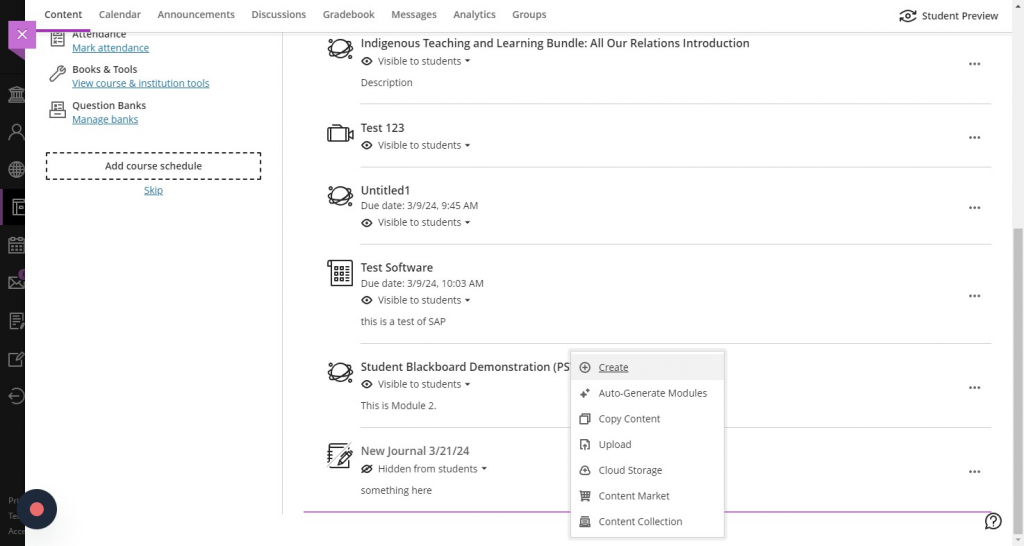
- Click on the purple ‘+’ icon above, between or below content items and press ‘Create’ to bring up the ‘Create Content’ menu. [view screenshot]
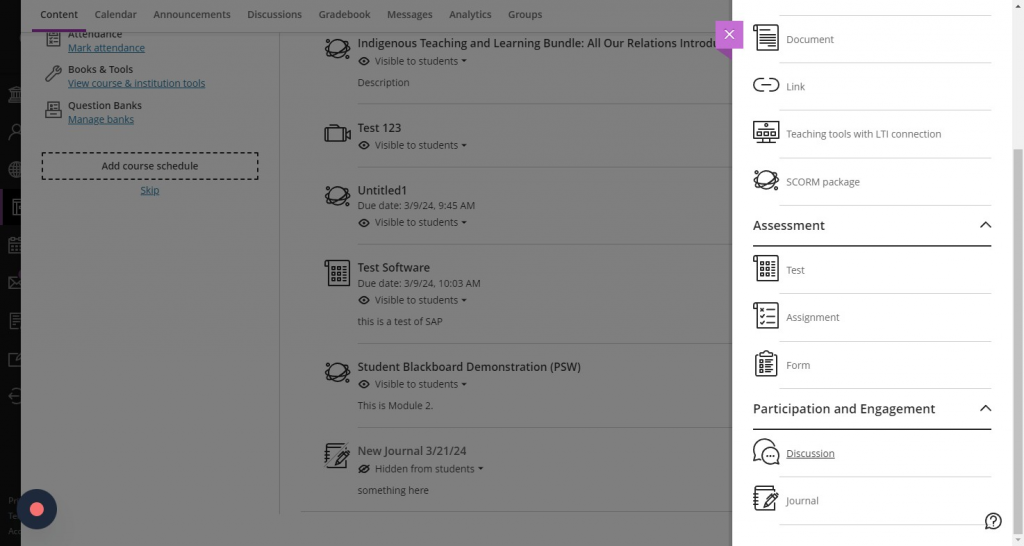
- Select ‘Journal’, ‘Discussion’, or ‘Assignment’ from the menu. [view screenshot]
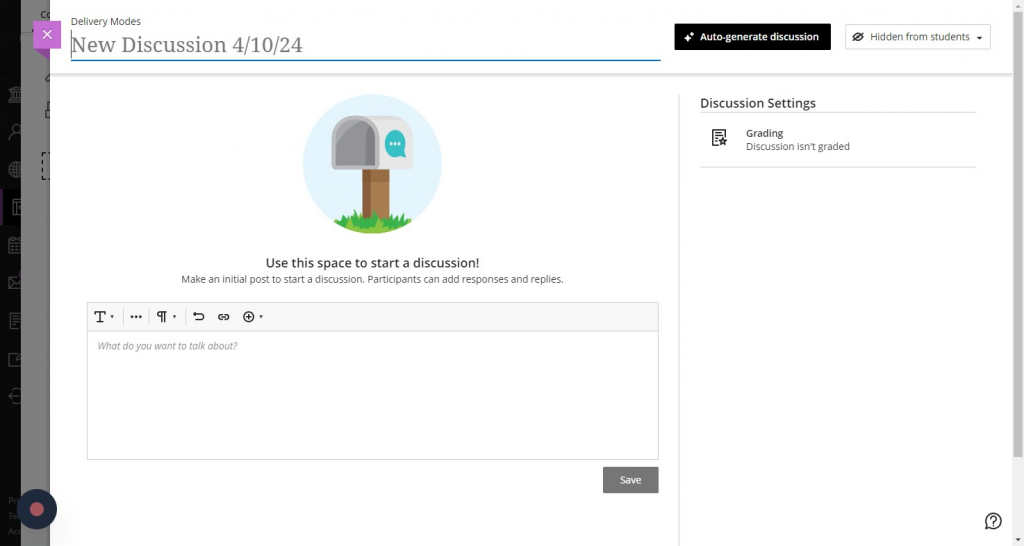
- Make sure to press the ‘Auto-Generate’ button in the top right corner. [view screenshot]
- Discussions, journals and assignments are automatically generated based on the title of the course, and the description included in the course. [view screenshot]
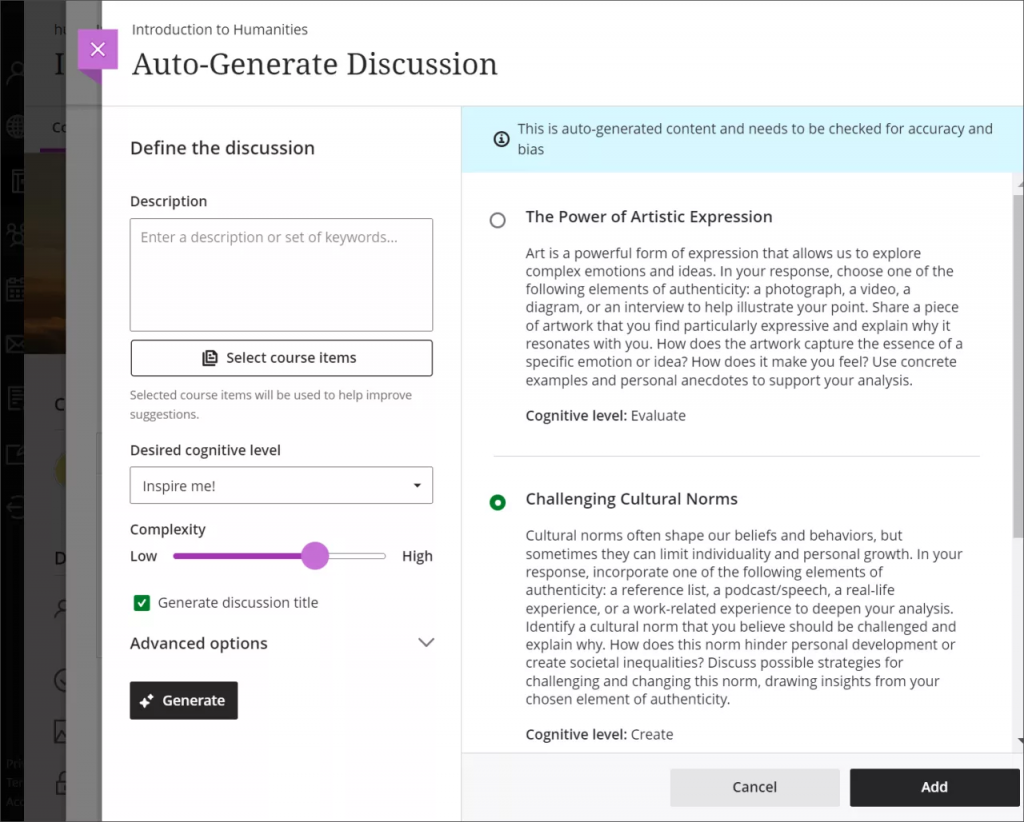
- You have several ways to customize the discussions, journals or assignments that the AI Design Assistant generates.
- Enter a description (limited to 2000 characters) to narrow the focus of the discussions
- Select the desired cognitive level
- Apply
- Analyze
- Evaluate
- Create
- Inspire me! provides you with a mix of levels
- These levels are based on Bloom’s Taxonom
- Adjust the complexity of the discussions’ focus
- There are ten levels of complexity for AI-generated content.
- Early primary school
- Late primary school
- Early middle school
- Late middle school
- Early high school
- Late high school
- Undergraduate lower division
- Undergraduate upper division
- Graduate level
- Advanced PhD level
- Select whether or not you want to generate a title for discussions
- Select Advanced options to change the output language
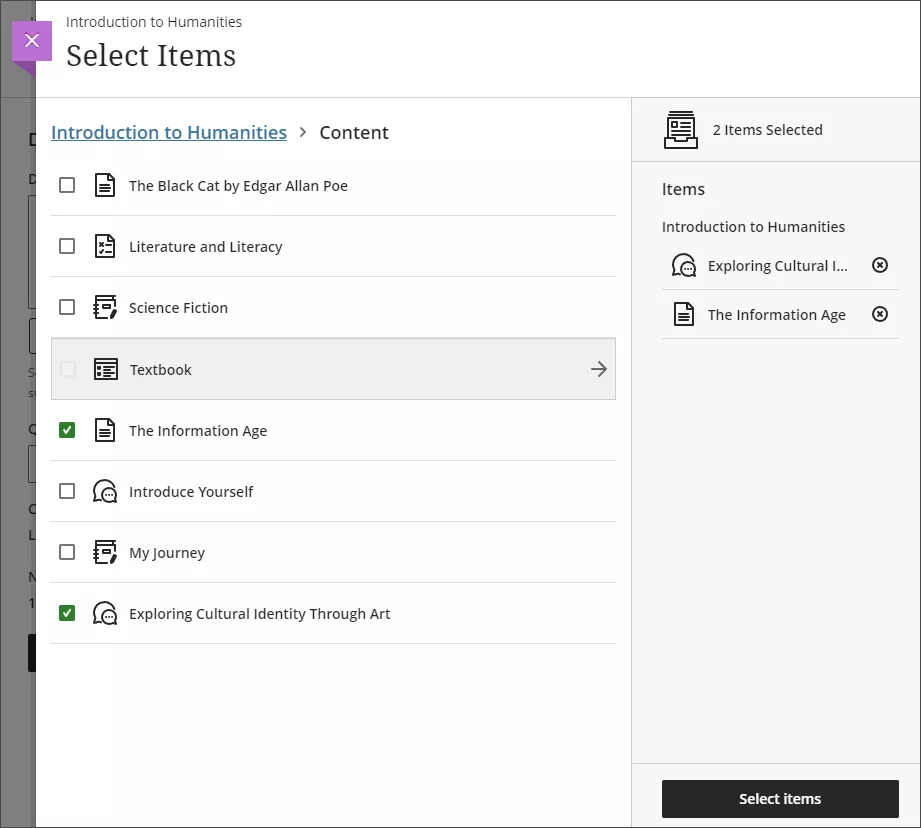
- You can also select which course items you’d like the AI Design Assistant to provide context for discussions, journals or assignments if you’d like. Select Select course items to start. [view screenshot]
- You can select a folder or learning module to include items from them in the generation process. When you’ve finished choosing items for context, select Select items to return to question generation.
- Once you’ve finalized your settings, select Generate. Review each discussion for accuracy and bias. Choose the discussion you’d like to add to your course, then select Add.